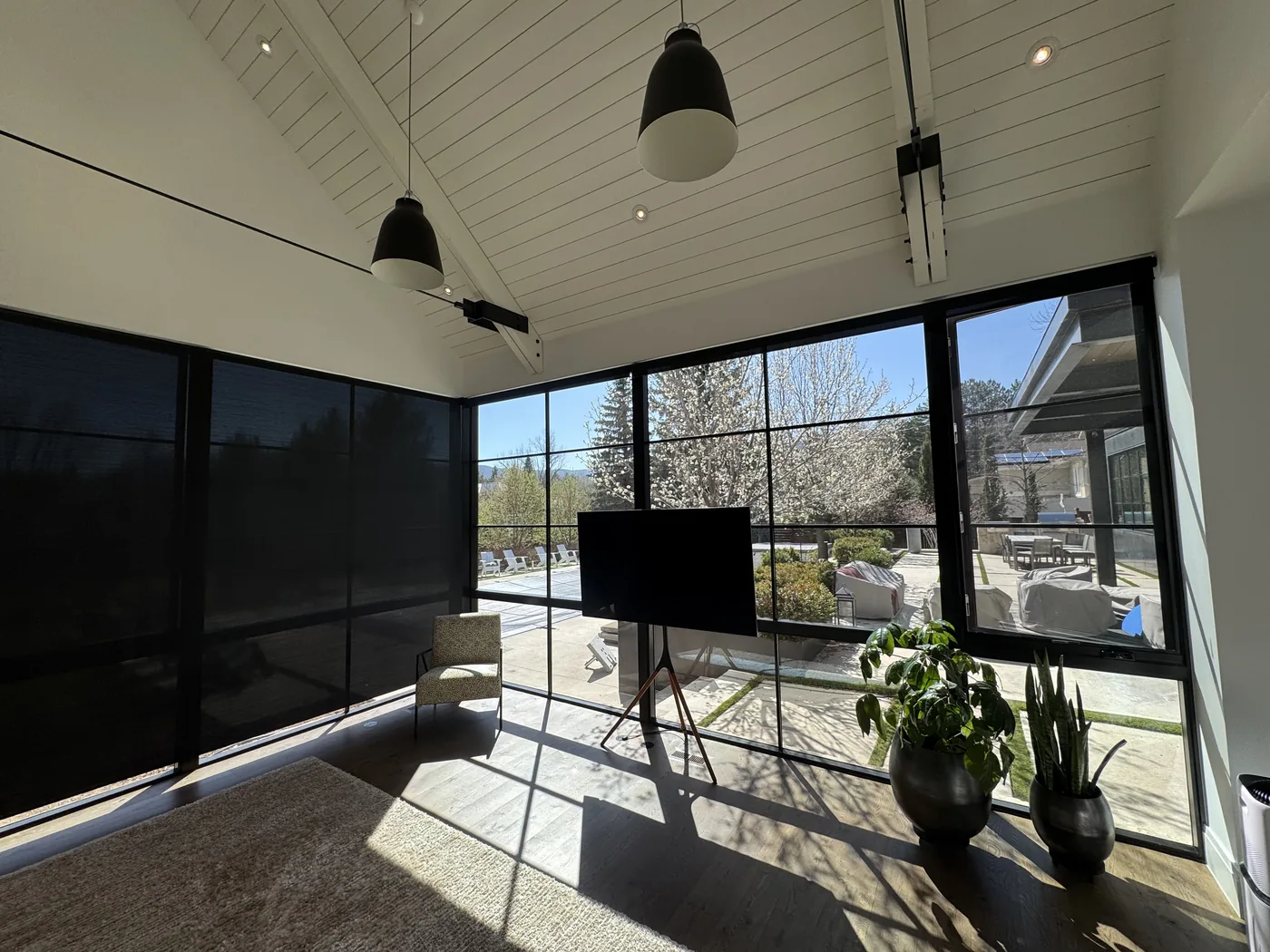
Howard's Draperies helps homeowners in Boulder, Colorado choose motorized shades for windows that are hard to reach or need adjusting throughout the day. We bring samples to your home, measure the windows, and help you plan controls, power, and professional installation.
Start with the shade fabric, privacy, and look you want. Then decide how you’d like to operate it. Automated shades can add scheduled movement to motorized operation when the selected system supports it. Hunter Douglas PowerView® Automation is available on compatible treatments. The PowerView® App is required for programmed operation.
Use a remote, explore app controls, or plan automatic routines. We’ll explain which choices work with the shades and system you select.
Motorized operating system
PowerView® Automation
Choose app, remote, or programmed control for compatible Hunter Douglas window treatments.
We’ll match the system to your chosen treatments
Some features require additional hardware
Guidance on choosing and using the controls
Mobile control
PowerView® App
Use the app with compatible treatments to organize rooms, create scenes, and set programmed routines. The PowerView® App is required for programmed operation.
Organize compatible treatments by room
Create scenes
We’ll help you plan the app and any supporting hardware
Handheld control
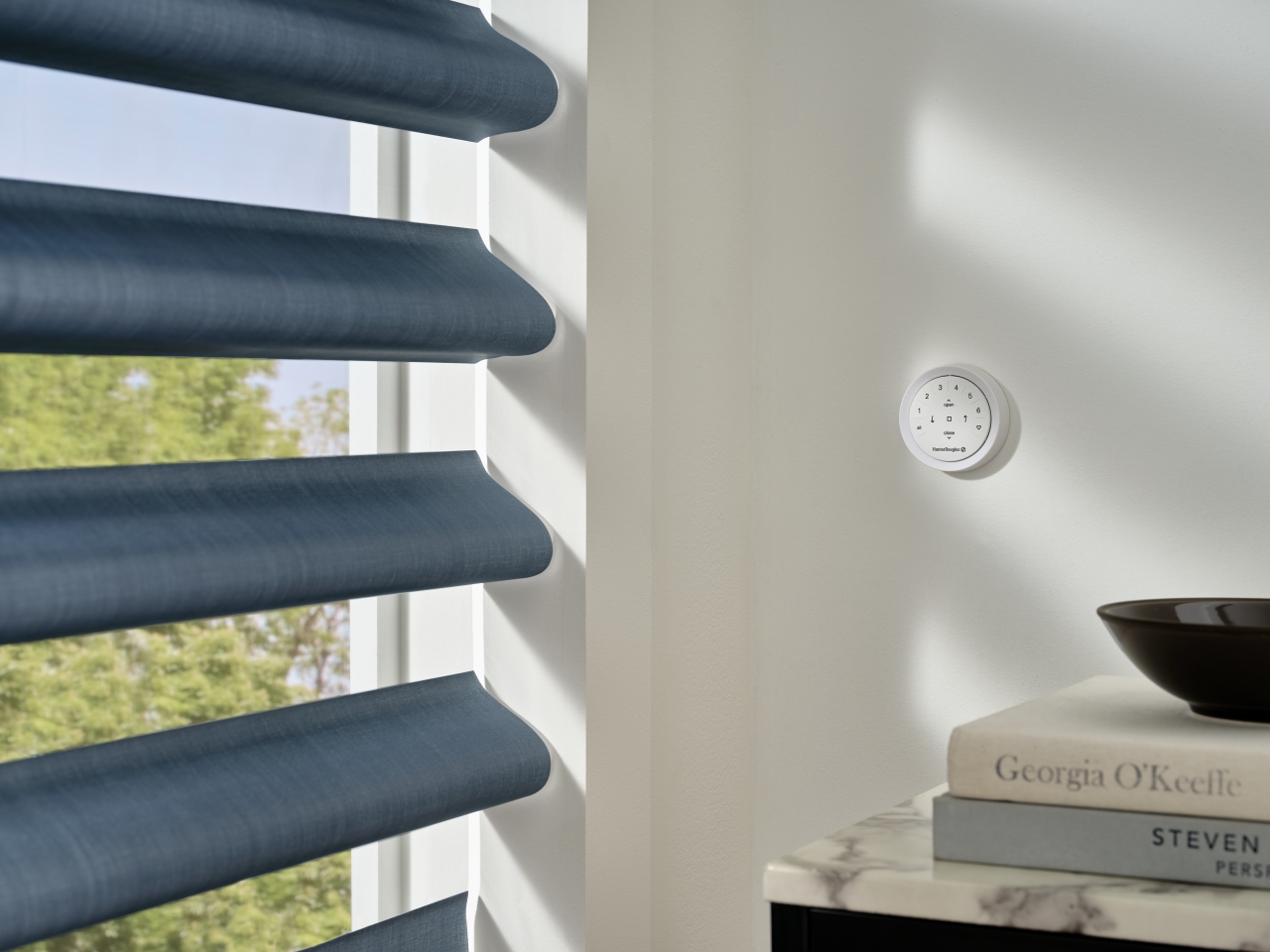
Pebble® Remote
Adjust compatible treatments with a handheld remote, without opening an app.
Direct button control
A handheld option for everyday adjustments
We’ll show you the functions your treatments support
Connected control
Smart-home and voice compatibility
Connect compatible PowerView treatments with a supported smart-home platform. We’ll check the system and any additional equipment needed for the features you want.
Tell us which smart-home platform you use
Decide which controls you want to use
We’ll check compatibility before you order
Power configuration
Power options
Choose a suitable power source for your shades, with a practical way to reach batteries or charging points.
Battery or rechargeable options where supported
Wired power where supported
Access for charging and maintenance planned with installation
Easier Control of Light and Privacy
A shade behind the sofa or above a stairwell can be awkward to adjust by hand. Motorization lets you move it using compatible controls. It can also simplify opening and closing several shades throughout the day.
Tell us which windows you use most and how you’d like to control them. We’ll help you compare individual controls, room groups, and available automatic routines.
Choose Your Motorized Shade Style
Start with the fabric, light control, and appearance you want. Motorization is an operating option for compatible Hunter Douglas shades, so we’ll check which choices work with your windows.
Motorized Roller and Screen Shades
Motorized roller shades offer a simple fabric profile with controls within easy reach. Compare roller shades for filtered daylight or greater privacy, and screen fabrics when glare and the view matter most. Screen fabrics may need a second layer for privacy after dark.
Cellular, Roman, and Other Shade Styles
Prefer cellular fabric, soft Roman folds, or a sheer look? Selected styles also support motorization. We’ll show you how the fabrics look when raised and lowered, then compare the available controls.
Motorized Blinds and Shutters
Selected Hunter Douglas blinds offer motorized tilt, while selected Hunter Douglas shutters offer motorized louver movement. Tilting the slats is different from raising the blind or opening a shutter panel. We’ll explain the movement your selection supports.
Hunter Douglas PowerView® Automation
PowerView® Automation by Hunter Douglas
PowerView® Automation offers app, remote, and programmed control for compatible Hunter Douglas treatments. Use a handheld remote for everyday adjustments, or explore app features for organizing rooms and creating scenes and schedules. The PowerView® App is required for programmed operation.
Some features need additional hardware. Our automation setup service includes planning compatible controls and showing you how to use them. Tell us which smart-home platform you use so we can check the supported connections and equipment before you order.
Power and Charging Made Practical
Battery, rechargeable, and wired power choices depend on the shade and system. We’ll plan the power source along with professional installation, including access for charging or maintenance.
Battery and Rechargeable Options
These options can avoid visible household wiring where supported. We’ll show you where the batteries or charging points sit and explain how to reach them, including any battery removal or charger needs.
Wired Power
Wired power can be worth considering during construction or renovation. We’ll identify the treatment’s power requirements so electrical work can be coordinated with the appropriate trades before the finishes are complete.
Questions About Motorized and Automated Shades
What is the difference between motorized and automated shades?
+
Motorized shades move with a motor. Automation adds supported features such as scheduled movement, so you don’t have to press a button each time. A motor alone does not mean scheduling or smart-home connections are included.
Can every Hunter Douglas shade use PowerView® Automation?
+
No. Availability depends on the product, fabric, size, shape, and operating system. We’ll help you compare compatible choices for your windows.
Can existing manual shades be converted to PowerView® Automation?
+
Some existing treatments cannot be converted. We’ll review your current shade and operating system to see whether a supported retrofit is available or whether a new treatment is needed.
Will motorized shades give me more privacy?
+
The fabric and coverage determine privacy; the motor makes adjustment easier. We’ll compare fabrics and mounting choices for the light and privacy you want, including any gaps at the edges.
What affects the cost of motorized shades?
+
Window size, shade style, fabric, motors, controls, power, and installation affect the quote. Let us know whether you’re updating one room or planning several. Our motorized shade buying guide explains these choices in more detail.
Tell us which windows are difficult to reach or need frequent adjustments. We’ll help you compare treatments, controls, and power options that suit your home.